
Part 4.2 · Part 2 of 6
Setup
Open Completion in the sidebar and tick Enable Completion Agent follow-ups for your organization (it applies to every form). Review the defaults before choosing Save settings: fixed message wording, the schedule (15 minutes, 3 days, 7 days) and the Unresponsive status after the last message (Send test is not available yet). The agent works on new submissions from that moment; asking it to finish an existing backlog is not available yet. Start with one high-volume form (applications and intakes are ideal), prove the value, then expand.
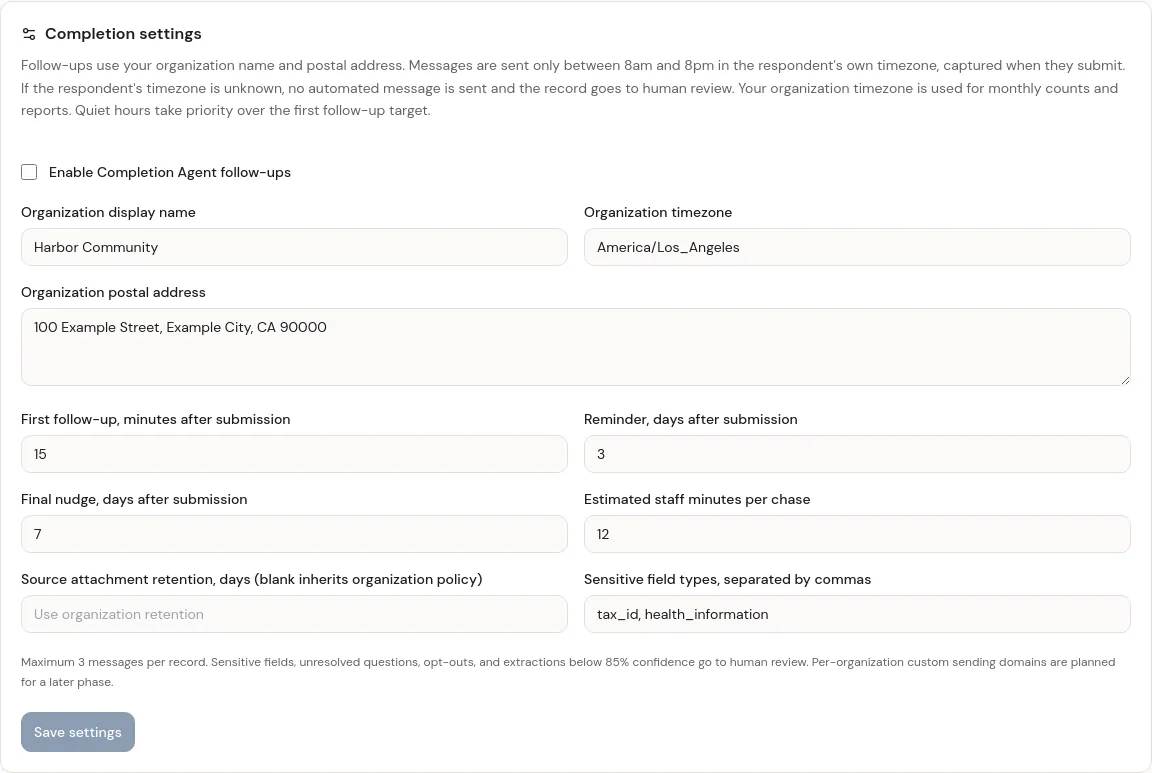
Availability: follow-ups are sent only once delivery is activated for your workspace. Until then the Completion page shows Delivery is not active. with the reason, nothing is sent, and you can still prepare your settings.