
Forms & Workflows
Describe the process you need, then review the drafted form and steps before you share them.
Learn more: Forms & WorkflowsABOUT KLARSTIG
Klarstig helps nonprofits and small businesses turn incoming information into organized work: forms, approvals, documents and signatures in one workspace, alongside the systems you already use.
Count of published public templates. Most are also available in Spanish and French; translations are not counted separately. Nonprofit discount applies to annual Starter and Pro, excluding add-ons. See eligibility.
OUR STORY
Klarstig grew out of years working in enterprise software and seeing how much time good teams lose to everyday administration. The right tools should be within reach of the nonprofits and small businesses doing that work, even without a large budget or a dedicated IT team.
So we built the practical alternative. Start small and create something useful with a Free plan that never expires. When you are ready, take the next step: route submissions for approval, generate documents, gather signatures and connect your CRM, while your CRM stays yours.
“Creating a form should not mean taking on another complicated system, or another complicated bill.”
Because the work does not end at the form, neither do we. Build the approval, PDF, signature request and follow-up email around the same information. You can also draft the social post that announces your event, review it and publish to a supported network you have connected. One workspace. Each next step.
Platinum Service helps you put Klarstig to work. Free, Starter and Pro include five personal setup sessions, up to 30 minutes each, per new organization. Regular product support continues after the sessions; existing service commitments are honored.
Klarstig works alongside the tools you already use. You do not have to replace your existing systems to get started.
Share a form for applications, requests, registrations or feedback. Every answer arrives organized in one place.
Send each submission to the right person, who reviews it and decides what happens next.
Turn the answers you collected into letters, agreements and other documents without retyping them.
Request signatures and follow each request until it is complete.
Describe the process you need, then review the drafted form and steps before you share them.
Learn more: Forms & WorkflowsRoute submissions to the right reviewer so decisions stay with the people responsible for them.
Learn more: ApprovalsGenerate the document from the form and collect the signature in the same process.
Learn more: Documents & SignaturesConnect the tools you already use, so information moves on without copying and pasting.
Learn more: IntegrationsDraft posts with AI assistance and review them before publishing. Posts go only to supported networks you have connected.
Learn more: Social Media ManagerNonprofits can also publish volunteer shifts with a capacity and time zone, and let volunteers pick a shift from one public link. When you link a form, each booking can reach your organization’s own Google Sheets, Mailchimp (only with the volunteer’s separate marketing consent) or Dropbox: accounts you connect and control. See Klarstig for nonprofits
Free, Starter and Pro include five personal setup sessions, up to 30 minutes each, per new organization, shared across users. Pro receives priority scheduling. Regular product support continues afterward. Plan limits and third-party charges apply; existing service commitments are honored.
Email us anytime. Our team is available Monday–Friday, 9 a.m.–5 p.m. Pacific Time. We aim to send a first human response within one business day (eight support hours). This is a response target, not a resolution guarantee.
WHAT WE BELIEVE
Know what each step does and what comes next. We build toward workflows the person running the process can follow from beginning to end, without needing a certification.
AI drafts; you approve. Automation should remove the chasing and retyping, while your team keeps the review and judgment where the process needs them. You review the setup before you put it to work.
Free, Starter and Pro include five personal setup sessions, up to 30 minutes each, per new organization, for setup and training within their plan. Regular product support, Academy guides and Concierge continue after those sessions. Existing service commitments are honored.
FOUNDER
Klarstig is founder-led, built around a practical belief: useful software should come with useful help. Meet the person bringing that approach to forms, workflows and everyday administration.
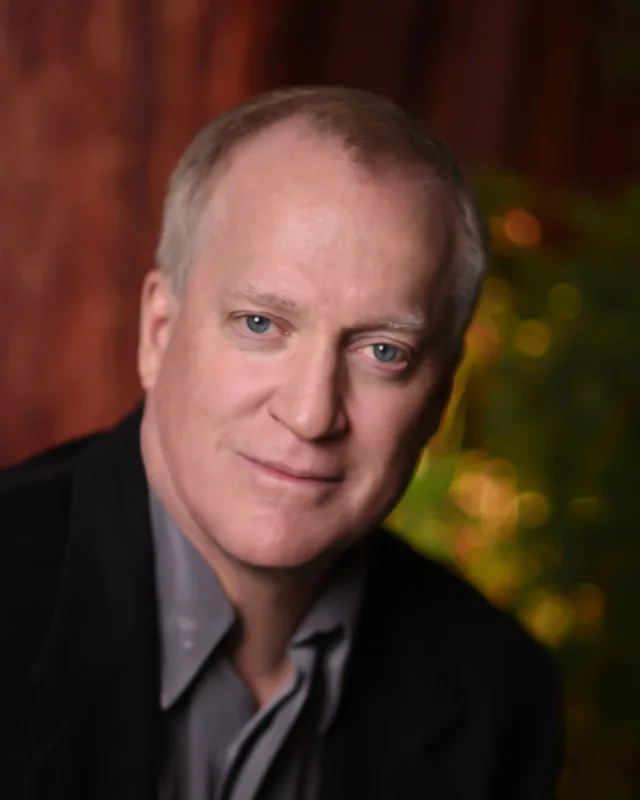
FOUNDER OF KLARSTIG
Daniel Petry is the founder of Klarstig. He brings 17 years of experience in enterprise software, including work with public-sector programs. Klarstig brings forms, workflows, documents and e-signatures together to help nonprofits and small businesses spend less time on administration.
WHERE WE WORK
Klarstig has a presence in San Francisco, Seattle and Denver. Wherever you work, our support hours follow Pacific Time: Monday–Friday, 9 a.m.–5 p.m.



WORK WITH US
Start free, forever, with no credit card. Or talk to a person first: guided setup is included on every plan, including Free.