
Example · synthetic data
Volunteer intake
Collect volunteer applications, route each one to a coordinator for approval, then send an agreement to sign.
Who it serves
Nonprofit volunteer coordinators who review new volunteers before their first shift.
Information collected
- Full name, email and phone
- Availability (days and times)
- Areas of interest
- Emergency contact
- Consent to the volunteer policy
Review and approval
- A volunteer coordinator receives an approval request by email.
- The coordinator approves or declines the application.
Document
A volunteer agreement PDF generated from the submitted answers.
Signature
You send the agreement to the volunteer as a signature request. Signature requests are added by you; the AI does not create them.
After submission
- Approved: a welcome email goes out and the status changes to Approved.
- Declined: a polite follow-up email is sent.
Before and after: one volunteer application
Demo data - a synthetic organization and applicant, not a customer
Before: handled by hand
- An application arrives by email or on paper.
- Someone retypes the answers into a spreadsheet.
- The coordinator is asked to review it in a separate message.
- The decision is tracked by hand.
After: Klarstig form + review workflow
- Applicant: Submits the published Volunteer Application form.
- Workflow (automatic, once you turn it on): Marks the submission “In review” and creates an approval request for the account owner.
- AI (on request): When the reviewer asks for an AI review, AI drafts suggested corrections and follow-up questions. Nothing changes unless the reviewer accepts a suggestion.
- Person: The account owner approves or rejects the submission.
- Result: The submission status becomes “Approved” and the approval record keeps the decision time. No further step runs unless you add one (for example an email, PDF or webhook step).
Screens from the recorded demo run (English interface)
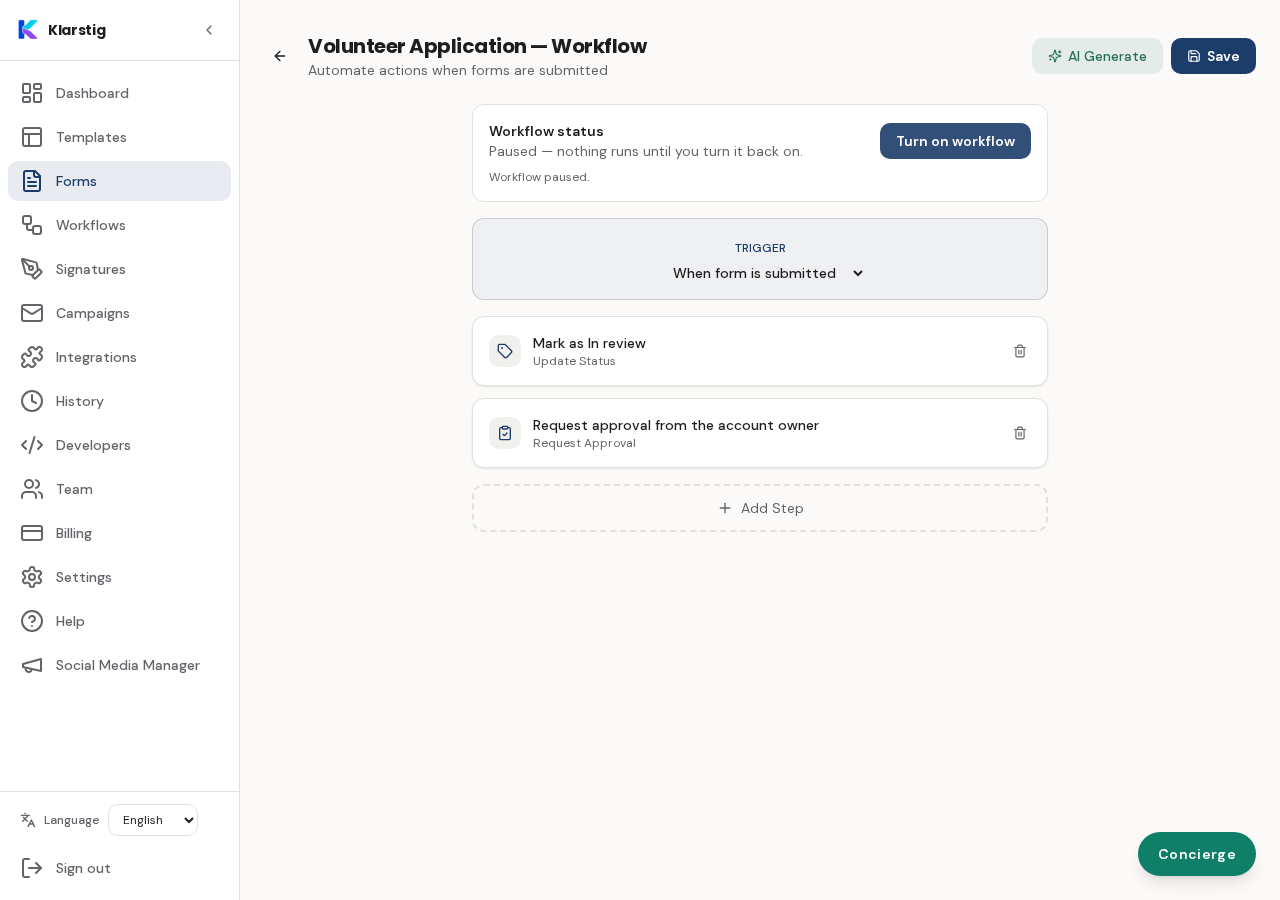
Workflow page with the two review steps and the workflow paused - nothing runs until it is turned on
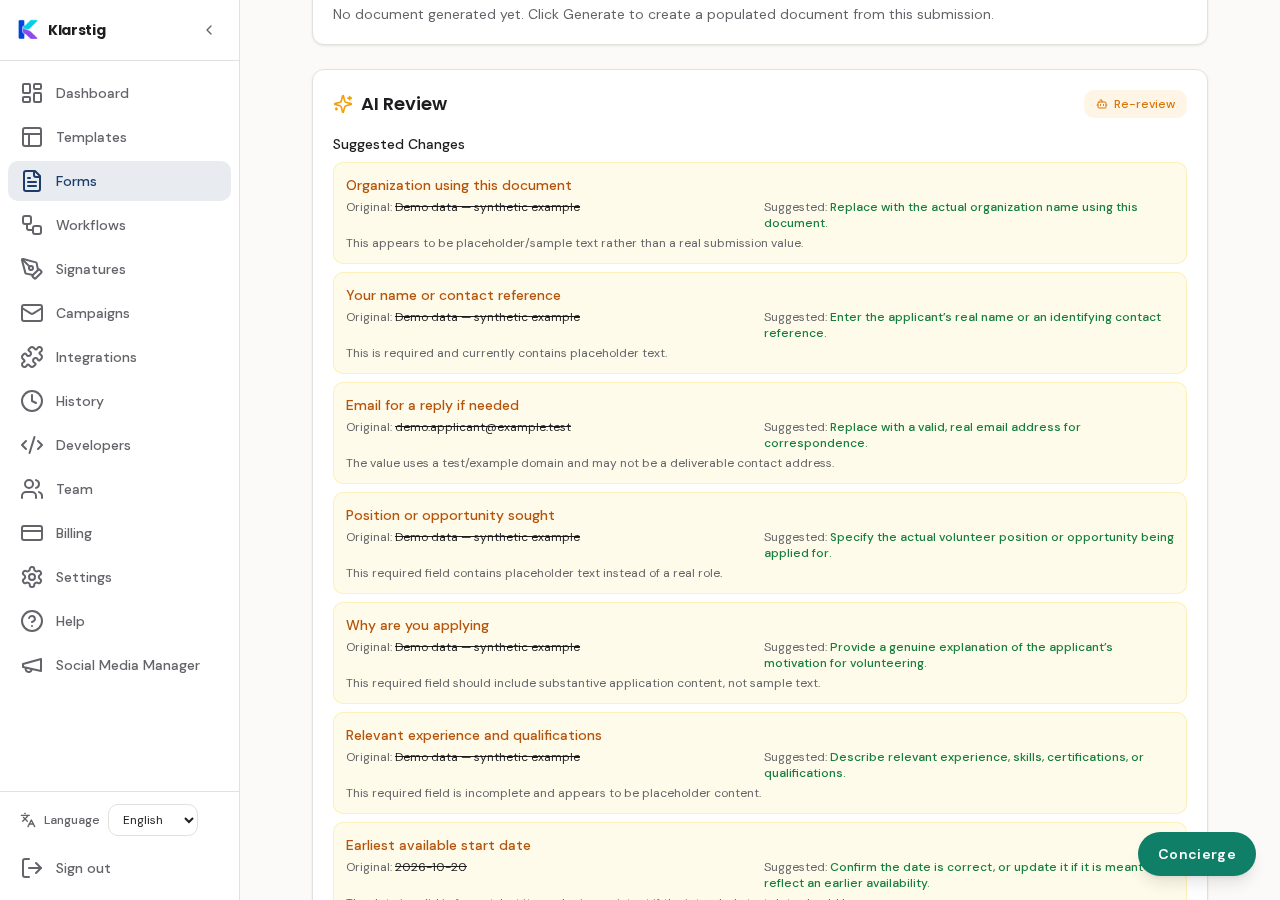
AI review requested by the reviewer on the demo submission: suggested corrections, each with a reason
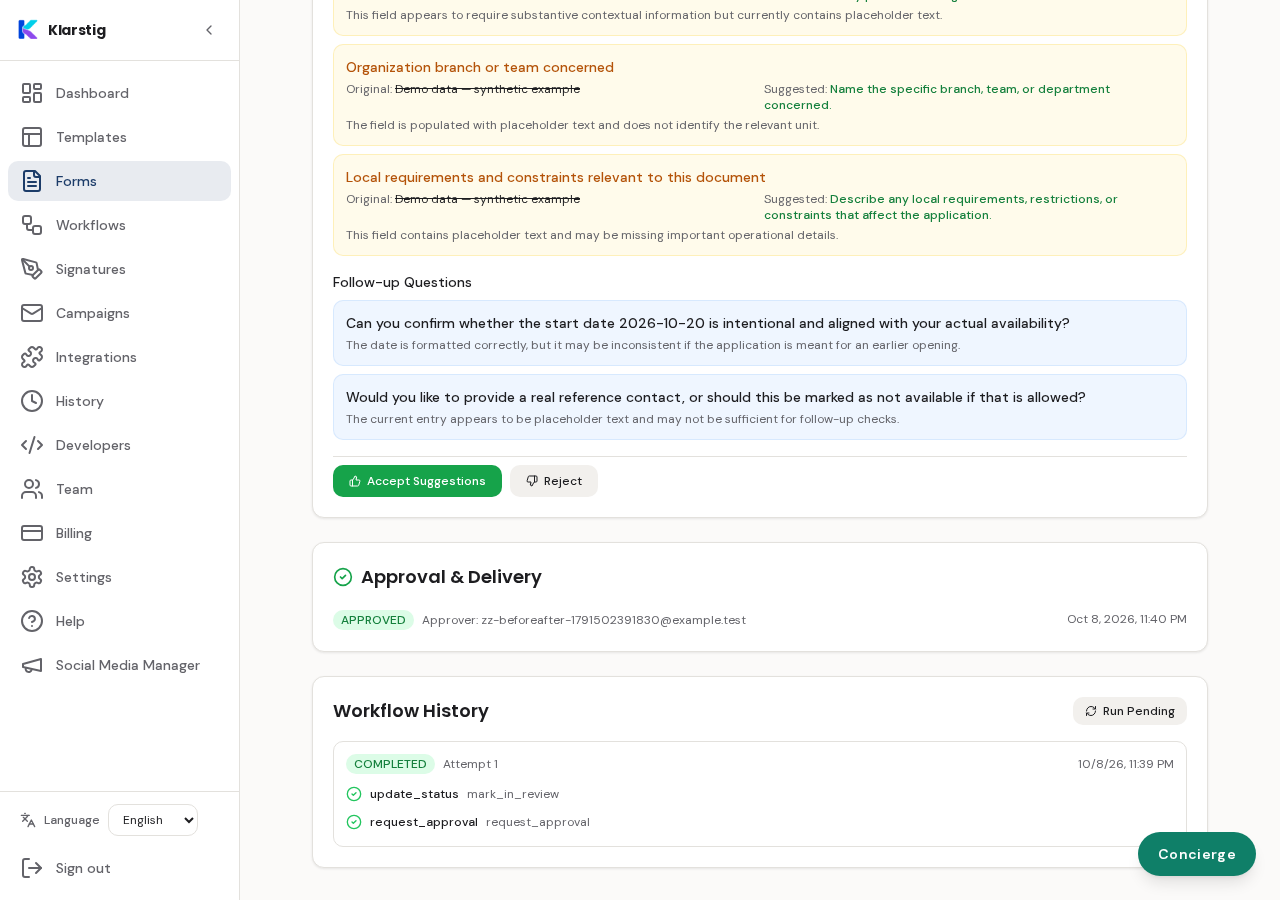
Follow-up questions, the approval marked Approved by the account owner, and the completed workflow run
Starts from the Volunteer Application template. The workflow is created switched off. Approval steps need Starter or Pro.
How you build it in Klarstig
- Describe the process in plain language.
- AI drafts the form and the workflow steps (approval request, PDF document, emails, status updates). Everything starts as a draft.
- You review and edit, add the signature request, and publish when you are ready.