
Share Forms in Spanish and French
In short
Klarstig works in English, Spanish and French. Offer the same form in multiple languages so respondents answer in the one they're most comfortable with.
Limited availabilityWhere to find it: Form builder → Languages1 min read
Steps:
- Open your form in the builder and choose Languages.
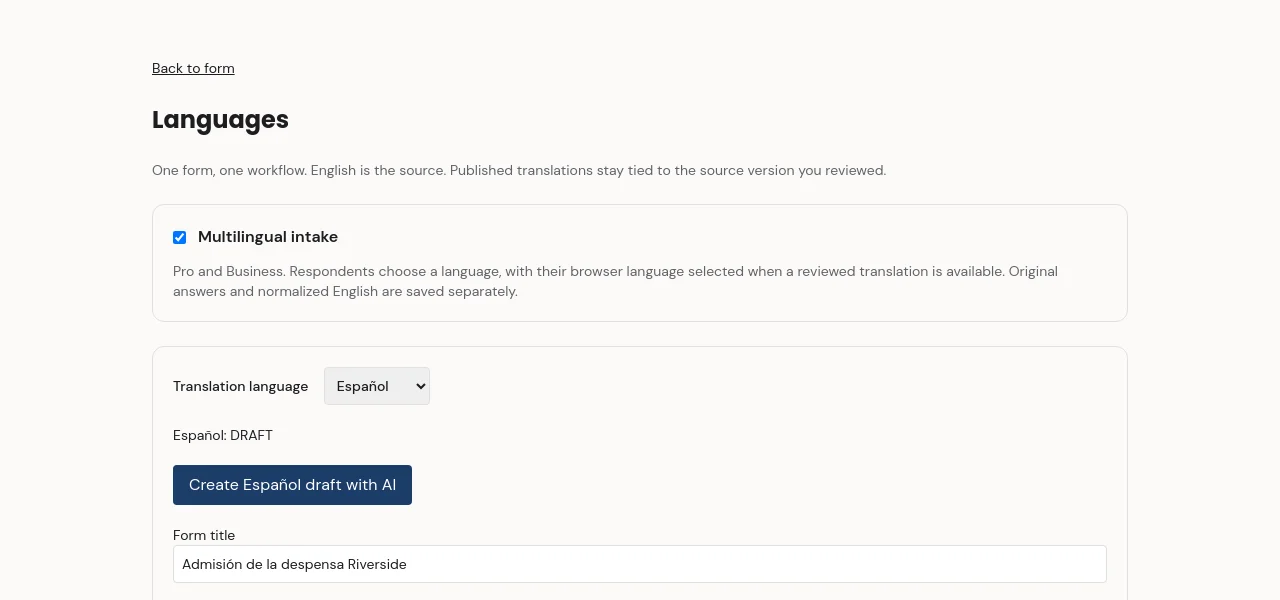
- Choose Español or Français under Translation language and choose Create Español draft with AI (or Create Français draft with AI). Review the draft field by field and edit any wording that matters, tick each field as reviewed, choose Save draft, then Publish reviewed translation.
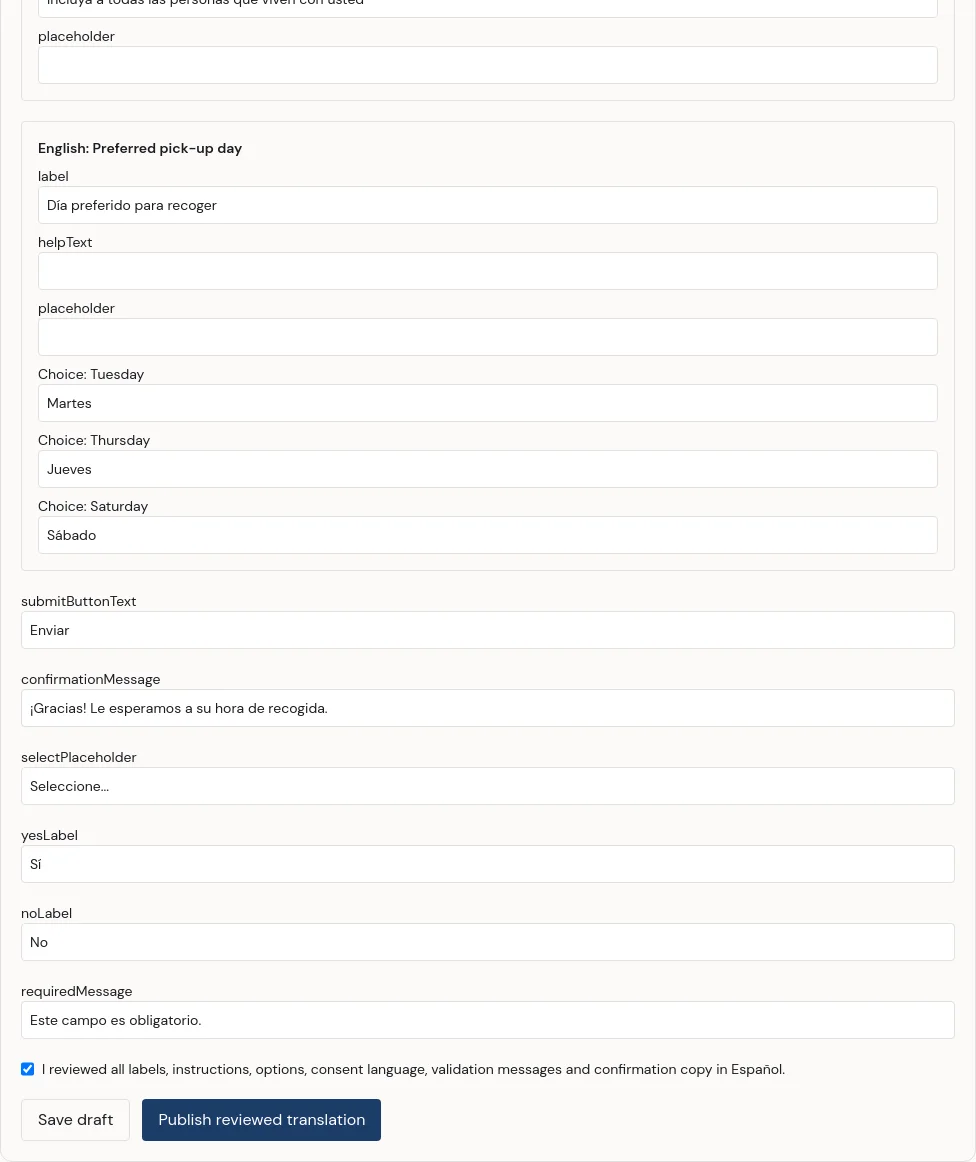
- Share the form's usual public link. With Multilingual intake turned on (Pro and Business), respondents choose their language, and their browser language is preselected when a reviewed translation exists. (There is no Share tab or separate link per language.)
- Responses land in one submissions list regardless of language, so reporting stays unified.
Tip: translations are set per form, on its Languages page.
More in Publishing & sharing
Was this helpful?
Last updated:
Still need help?
Send us a message with your workspace name and what you tried. Don’t include card numbers or passwords.