
Create a Survey From a Template (NPS, CSAT, Pulse and more)
In short
Open the Template Library, filter to Surveys & Feedback, pick a template and choose "Use Template" — your copy opens in the form builder, ready to edit and share.
AvailableWhere to find it: Templates → Surveys & Feedback → Use Template1 min read
The fastest way to a good survey is to start from one that's already structured well. Klarstig includes eight ready-made survey templates: Net Promoter Score (NPS), Customer Satisfaction (CSAT), Event Feedback, Volunteer Satisfaction, Program Evaluation, Community Needs Assessment, Training Evaluation, and Employee/Volunteer Pulse.
Steps:
- Open Templates from your workspace and choose the Surveys & Feedback type.
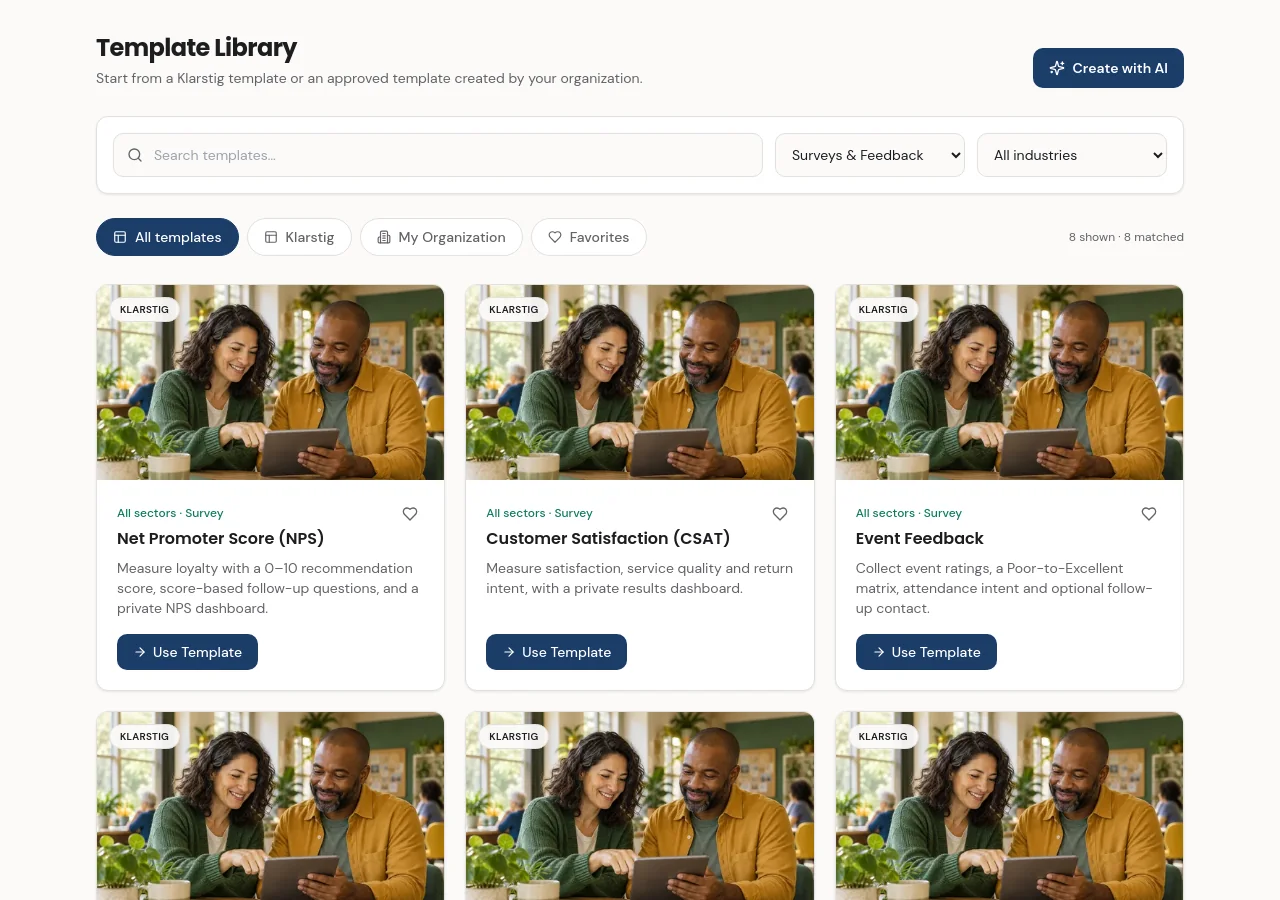
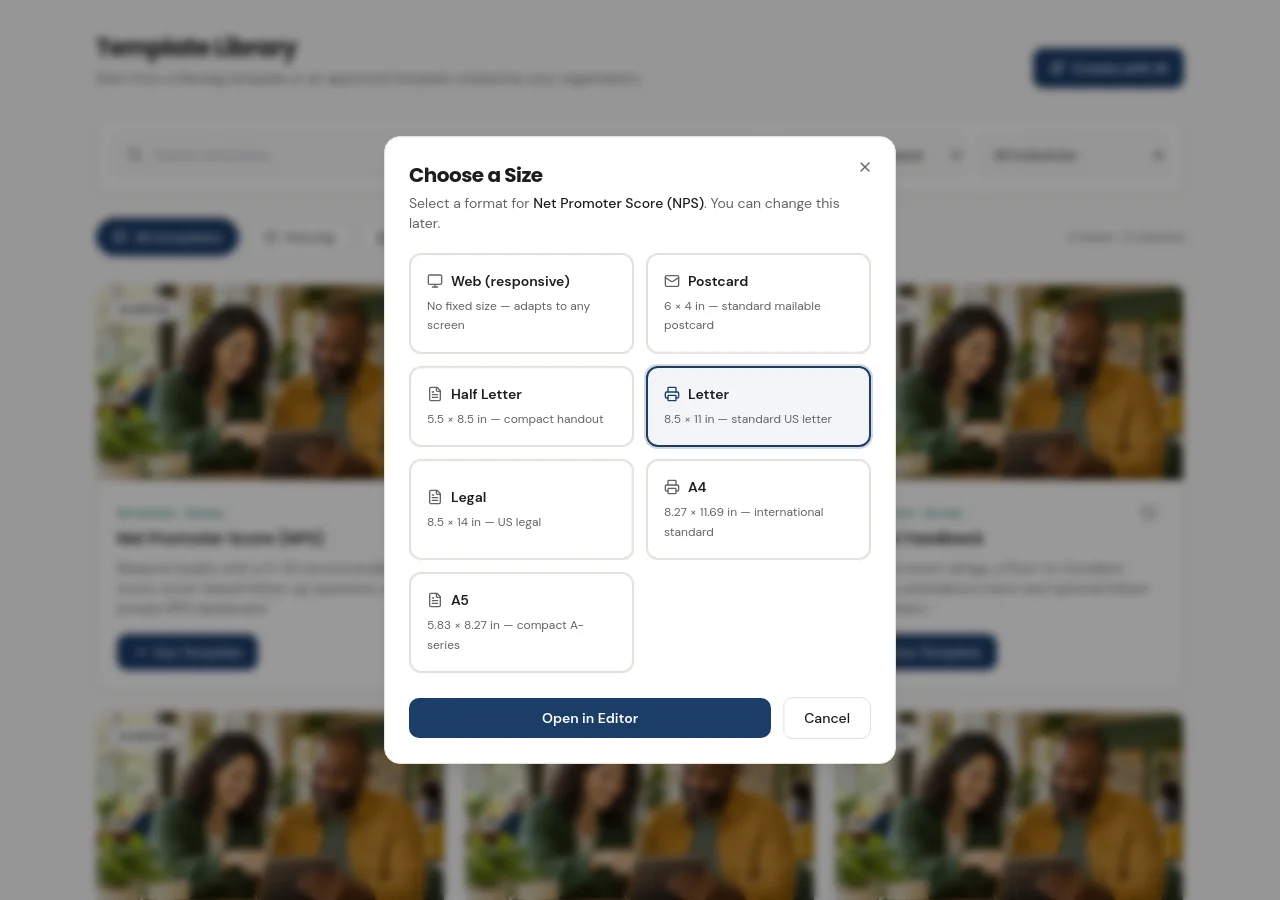
- Select a template and choose Use Template, then pick a page size. (There is no separate preview step; you review the questions, intro text and thank-you screen in the editor.)
- Choose Open in Editor. Klarstig creates an editable copy in your workspace — the master template never changes.
- Rename anything, add or remove questions, and adjust wording to match how your organization talks. Placeholders like [Organization] should become your name.
- Choose Publish in the form builder to publish it. See "Share Your Survey: Link, QR Code and Email Campaign."
Tips:
- Resist adding questions. Every template is built to be finished in under four minutes; longer surveys get abandoned.
- Keep the anonymity notice. It raises honest response rates.
Related: Survey Question Types · Anonymous by Default · Read Your Results
More in Surveys
Was this helpful?
Last updated:
Still need help?
Send us a message with your workspace name and what you tried. Don’t include card numbers or passwords.