
The Template Button Takes Me to Sign-Up While I'm Logged In
In short
"Use this template" should open the template directly in your workspace when you're signed in. If you're sent to a sign-up page instead, here's what's happening and how to get through.
Note: if you are already signed in, the quickest path is the in-app one in step 2: Templates → Search templates... → Use Template.
What's happening: the template sign-in hand-off was corrected, so the template button should recognize your session. If you still land on sign-up, your session may have expired, or you may be signed in with another browser or account.
Workarounds that get you to the template right now:
- Open the template page, then sign in from the Log in link in the top navigation (not the sign-up form). Return to the template page afterward via the browser back button and choose Use this template again.
- Or, from your workspace: Templates → search for the same template by name in Search templates... → Use Template — the in-app path always recognizes you.
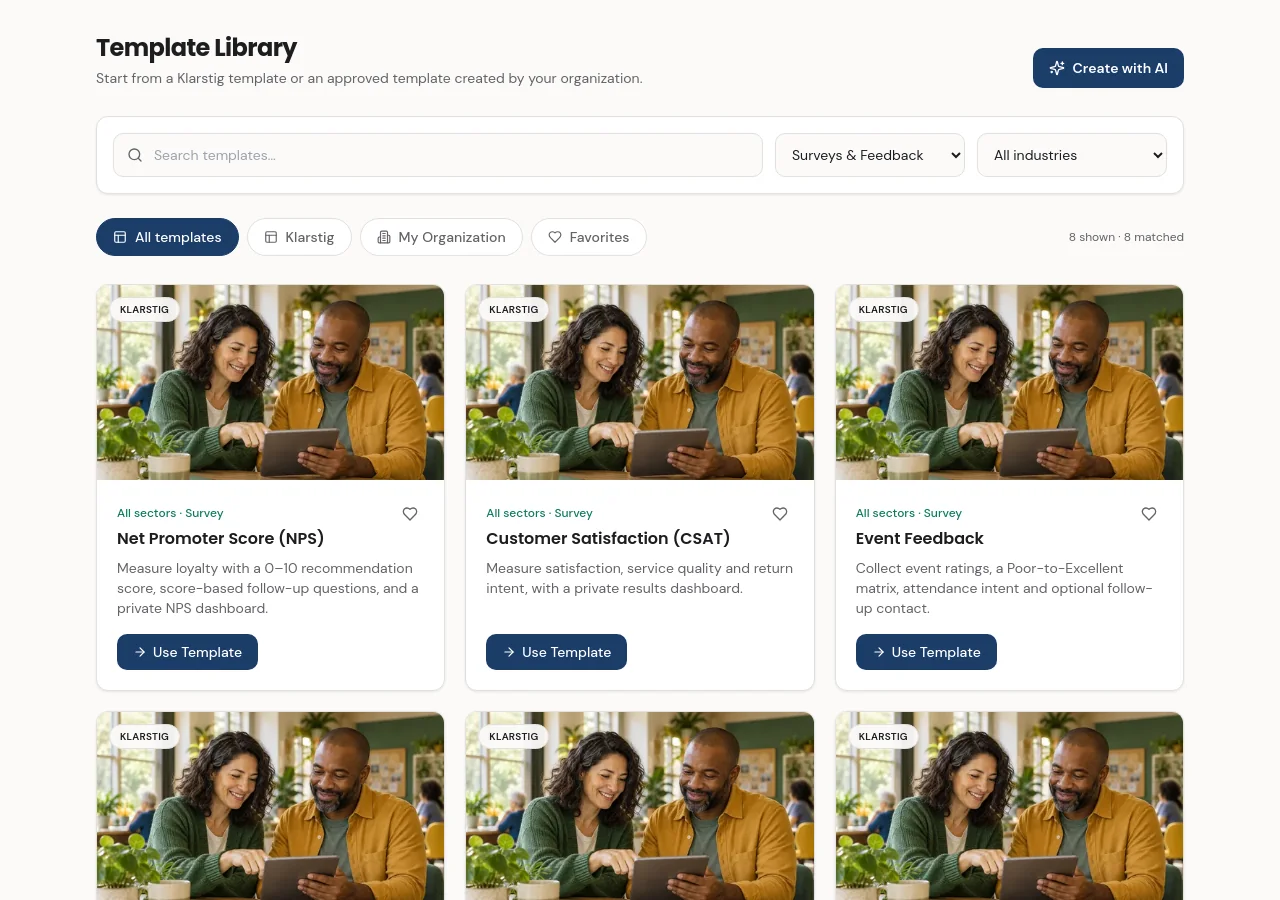
- If you did complete a fresh sign-up by mistake, the new workspace opens Templates for that template: choose Use Template to create your copy there. (A fresh sign-up creates a separate workspace from the one you already had.)
If it keeps happening: tell support which template and which browser you used — each report helps us close the remaining paths.
More in Troubleshooting
Was this helpful?
Last updated:
Still need help?
Send us a message with your workspace name and what you tried. Don’t include card numbers or passwords.